The File That Almost Killed My Computer
How a suspicious Linux ISO taught me the one thing I never trust about files — and why you shouldn't either.
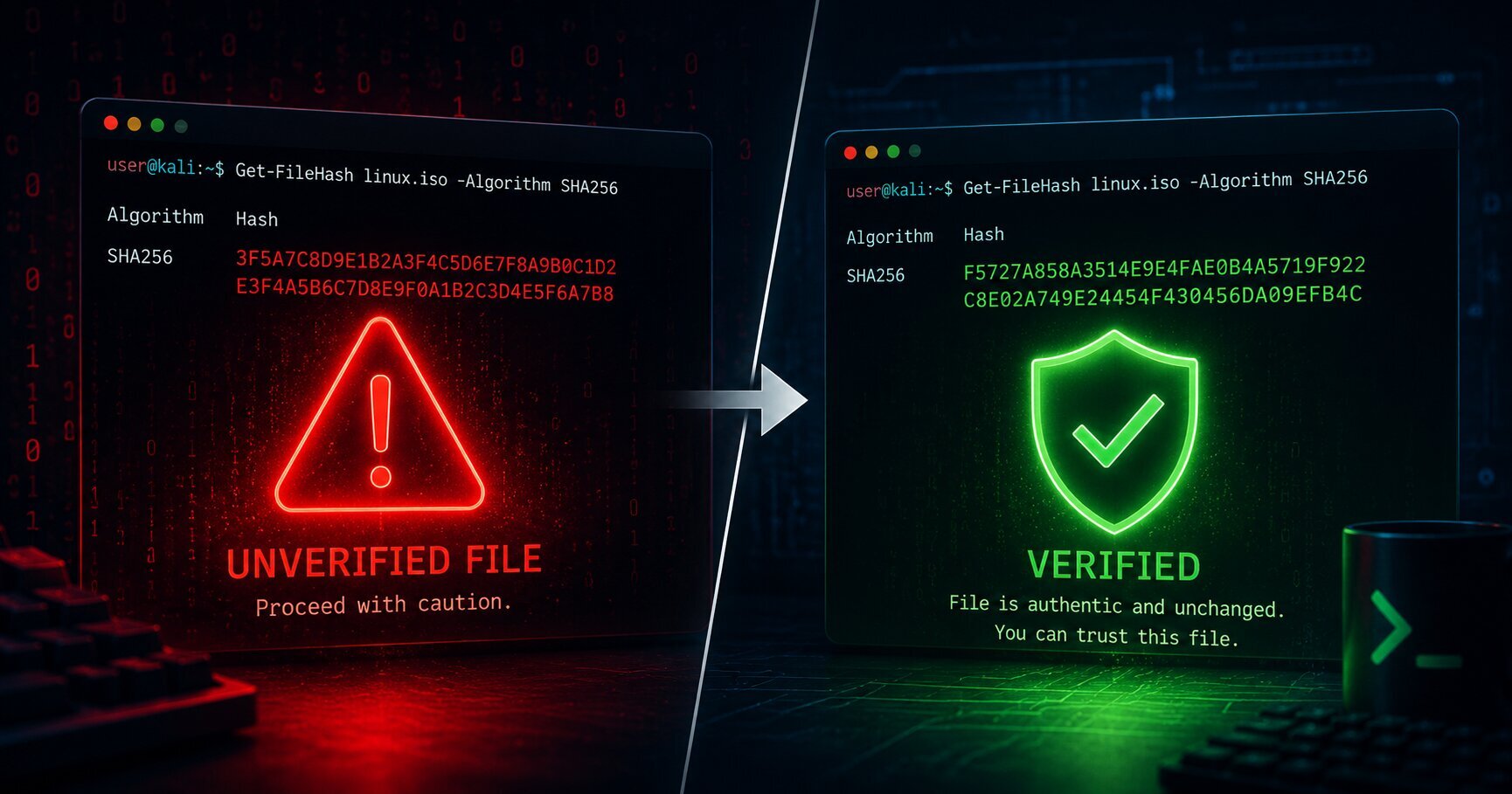
I stared at my screen for a solid minute.
The Linux ISO had finished downloading. The flashing tool was open. My USB drive was plugged in. All I had to do was click Restart and boot from it.
But I couldn’t bring myself to do it.
One question kept nagging at me, refusing to let go:
How do I actually know this file is what it says it is?
It had the right name. The right size. The right file extension. Everything looked perfectly normal. But I’ve spent enough time around computers to know that appearances don’t mean much in cybersecurity.
A file can look exactly like the original while being silently modified somewhere between the server and your hard drive.
That’s the thing about files — they’re excellent liars.
So I didn’t reboot.
Instead, I opened PowerShell and typed a command I had never used before:
1
Get-FileHash "linux.iso" -Algorithm SHA256
A moment later, my terminal spat this back at me:
1
F5727A858A3514E9E4FAE0B4A5719F922C8E02A749E24454F430456DA09EFB4C
I stared at it.
Sixty-four random characters. What was I supposed to do with that?
I had no idea then, but those sixty-four characters were about to save my computer from a very bad day.
The Problem With Trusting Files
Here’s something we don’t think about nearly enough.
Every day, we download files. Linux ISOs. Software installers. Firmware updates. PDFs. Documents. Once the download finishes, we double-click and move on with our lives.
But here’s the uncomfortable truth:
You have no idea if that file is exactly what the developer published.
Maybe the download got corrupted.
Maybe someone modified it.
Maybe an attacker replaced it somewhere between the server and your computer.
Your operating system can’t answer those questions by looking at the filename.
Neither can you.
What you need is a way to identify a file by what it contains, not by what it’s called.
That’s exactly what SHA256 does.
Meet SHA256
SHA256 stands for Secure Hash Algorithm 256-bit.
It’s not complicated. Here’s what it does:
You feed it any amount of data — a tiny text file, a photograph, a movie, or a multi-gigabyte operating system image — and it produces a fixed-length output. Always 256 bits. When written in hexadecimal, that’s always 64 characters.
No matter whether the input is one byte or one terabyte, the output is always the same length.
That output is called a hash.
The easiest way to think about it is this:
A hash is like a fingerprint for data.
It isn’t the file itself. It doesn’t describe the file. It simply identifies it. Just like your fingerprint identifies you without describing what you look like.
Five Things That Make SHA256 Unbreakable
SHA256 wouldn’t be very useful if it were easy to fool. Its real strength comes from five remarkable properties.
1. It’s consistent.
Run SHA256 on the same file today. Run it again tomorrow. Run it five years from now. As long as the file hasn’t changed, you’ll get exactly the same result. Every single time.
2. Change one bit, the whole thing breaks.
This is called the avalanche effect. Change one character inside a file — one byte out of billions — and the hash becomes completely different. Not slightly different. Completely different.
I tested this myself with “hello” vs “Hello.” Two completely different hashes. One capital letter. That’s the avalanche effect in action.
3. You can’t reverse it.
Given a file, producing its hash is easy. Given the hash, reconstructing the original file is practically impossible. The hash identifies the data. It does not reveal the data.
4. Collisions are basically impossible.
Could two different files produce the same SHA256 hash? In theory, yes. In practice, the chances are so unimaginably small that they’re ignored in real-world systems.
There are 2²⁵⁶ possible SHA256 outputs. That number is so large it makes the number of atoms in the observable universe look modest.
5. It’s fast.
Despite reading every byte of a file, SHA256 is remarkably efficient. My computer hashed a multi-gigabyte ISO in just a few seconds. That’s why it’s used everywhere.
The Mistake I Almost Made
After generating my hash, I felt oddly confident.
I thought I had verified my download.
I hadn’t.
I had only completed half the process.
Here’s an important distinction that matters a lot:
| Action | Question |
|---|---|
| Hashing | What is the fingerprint of this file? |
| Verification | Does this fingerprint match one published by a trusted source? |
A malicious file also has a SHA256 hash. So does a corrupted file. Hashing alone doesn’t tell you whether a file is safe. It tells you whether two files are identical.
The trust comes from the comparison.
So that’s exactly what I did next. I visited the official download page, found the published SHA256 hash, and compared it with mine.
Every character matched.
Only then did I reboot my computer.
Once You Learn It, You See It Everywhere
After that afternoon, I started noticing SHA256 everywhere.
Software downloads. Every major Linux distribution publishes a SHA256 hash alongside their ISOs. That’s an invitation to verify before you install. Most people ignore it. I used to be one of them.
Antivirus software. Security teams maintain massive databases of SHA256 hashes for known malware. When your antivirus encounters a file with one of those fingerprints, it can immediately recognize it.
Password storage. This one genuinely shocked me. A responsible website never stores your actual password. Instead, it stores a hash. When you log in, it hashes what you typed and compares the hashes. Your real password never sits in a database waiting to be stolen. (Modern systems use slower algorithms like bcrypt for passwords, but the concept is the same.)
Bitcoin. Every block contains the hash of the previous block, linking the entire blockchain together. Change one transaction anywhere in history, and the hash changes, the chain breaks, and the tampering becomes visible to the entire network.
One algorithm. Hiding underneath file downloads, password systems, and global financial infrastructure.
I went from worrying about one file to understanding the foundation of a trillion-dollar system. Not a bad afternoon.
One Thing That Surprised Me
After all this, I had a question that felt almost too simple to ask.
What if I just rename the file?
What if I take linux.iso and rename it to totally-safe.iso? Does the hash change?
The answer is no. Not at all.
SHA256 hashes the contents of the file — the actual bytes of data — not the file’s name or metadata. You can rename it, move it, give it a completely absurd name, and the hash stays identical. The moment you edit the content — change one byte, modify one pixel, alter one character — the hash changes instantly and completely.
The name is just a label. The hash is the identity.
Try This Right Now
Open your terminal. This will take two minutes, and it will make everything click in a way reading never can.
On Windows (PowerShell):
1
2
echo "hello" > test.txt
Get-FileHash test.txt -Algorithm SHA256
Copy the hash somewhere. Now open test.txt, change "hello" to "Hello", save it, and run the command again.
On Mac or Linux (Terminal):
1
2
printf "hello" > test.txt
shasum -a 256 test.txt
Same thing — change the content, run it again.
Look at the two hashes side by side. They are completely different. One lowercase letter. Two completely different fingerprints.
That is the avalanche effect. That is why tampering cannot hide. That is SHA256 doing exactly what it promises.
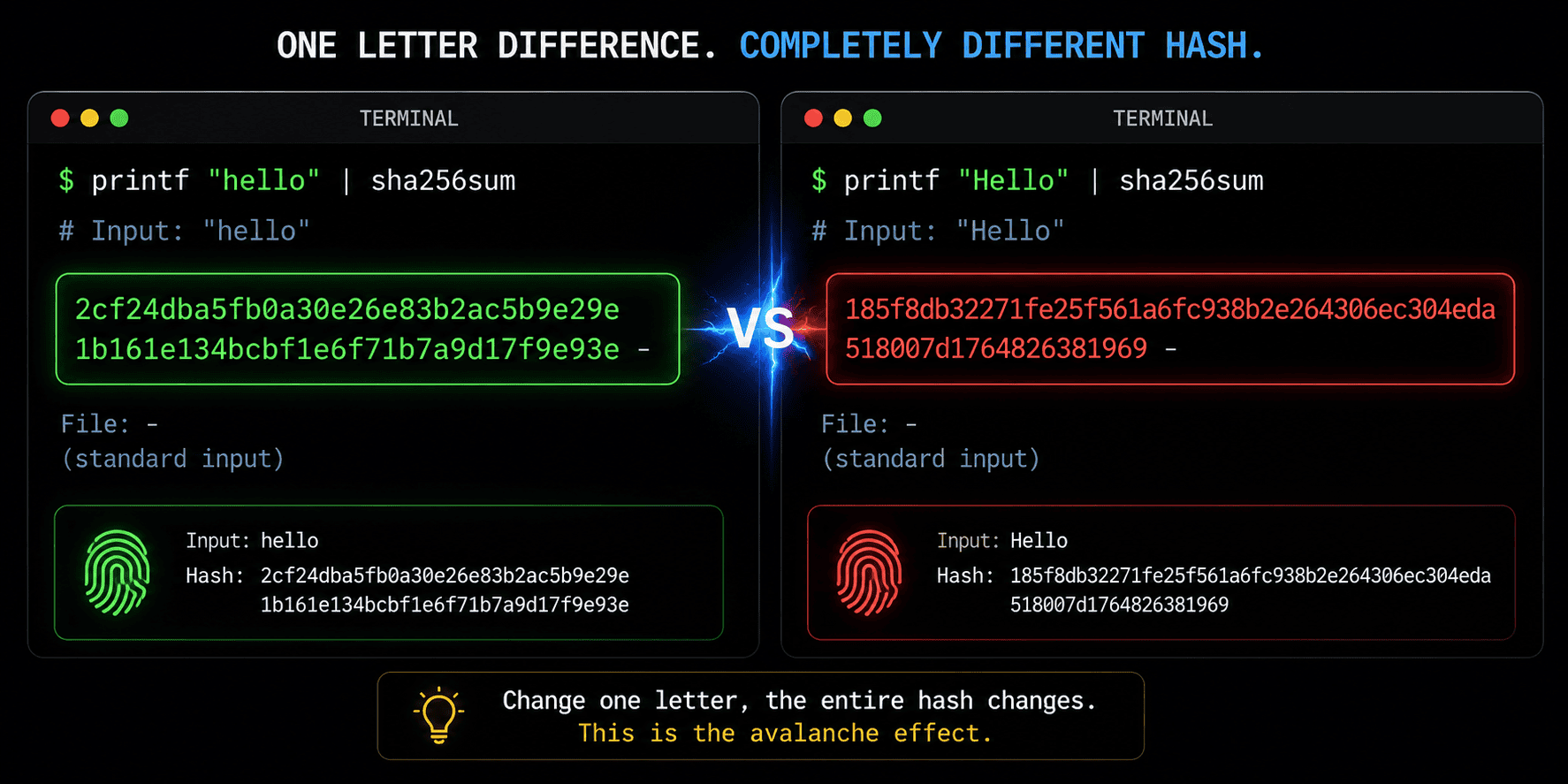 One lowercase letter. Two completely different fingerprints. That’s the avalanche effect.
What I Actually Walked Away With
I started that afternoon worried about whether a Linux ISO was safe to trust. I ended it understanding something much bigger — the quiet mechanism underneath how trust works in digital systems at all.
Files are not trustworthy by default. Networks are not reliable by default. The internet moves data across thousands of machines before it reaches you, and anything can go wrong at any point along the way.
SHA256 is one of the tools that makes trust possible despite all of that. It lets you take a file’s fingerprint, compare it to one from a trusted source, and say with mathematical certainty:
This file is exactly what it’s supposed to be.
It’s a small concept. But once you understand it, you see the seams of the digital world a little more clearly — and you stop taking “the file looks fine” at face value.
One afternoon of paranoia. One file fingerprint. One computer saved from a very bad day.
📧 hello.sahilahmad@gmail.com
🐙 github.com/sahilahmadofficial
💼 linkedin.com/in/sahilahmadofficial
— Sahil
One afternoon of paranoia. One file fingerprint. One computer saved.