The Naming Convention Guide I Wish I Had as a Beginner
A practical, no-nonsense guide to naming conventions across JavaScript, C++, Python, and GitHub — with real examples and common mistakes to avoid.
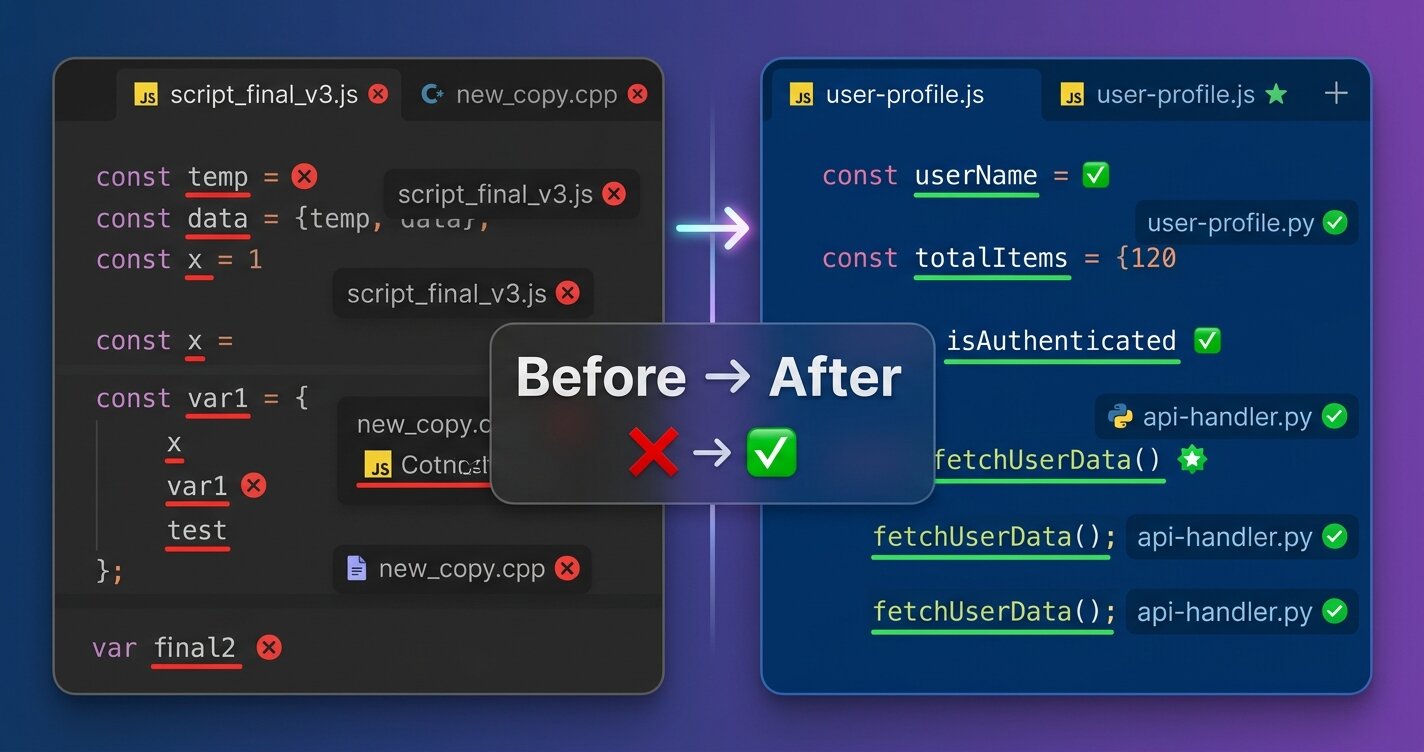
Why This Matters (And Why Beginners Ignore It)
When I started coding, I named my variables temp, data, x, var1. My files were test.py, final.cpp, new_version_2_actual_final.js. My GitHub repos? project1, testing, random-stuff.
I thought naming conventions were just pedantic rules made up by senior developers with too much time on their hands.
I was wrong.
Here’s what I learned the hard way: Bad naming conventions are technical debt you write into existence, one variable at a time.
Six months later, I couldn’t understand my own code. I wasted hours deciphering what handleData() did or which temp variable held what value. My projects looked unprofessional. My code reviews were nightmares.
Truth: Beginners neglect naming conventions because the pain isn’t immediate. It’s like not brushing your teeth — you feel fine today, but in six months, you’re paying the price.
This article is my personal naming convention reference. It’s what I use across projects (though I adapt to official standards in production code). If you’re a beginner who thinks “I’ll remember what this variable does,” bookmark this. Future you will thank me.
The Core Principle
Before we dive into language-specific conventions, understand this:
Good names are self-documenting. If you need a comment to explain what something does, your name is probably wrong.
Names should answer three questions:
- What is it? (Variable, constant, class, function?)
- What does it do? (What’s its purpose?)
- What type/scope is it? (Is it global, local, private?)
Now, let’s get specific.
JavaScript Naming Conventions
Variables: camelCase
Bad:
1
2
3
let UserName = "Sahil";
let user_age = 25;
let TOTAL = 100;
Good:
1
2
3
4
5
let userName = "Sahil";
let userAge = 25;
let totalItems = 100;
let isAuthenticated = false;
let hasPermission = true;
Rules:
- Start with lowercase letter
- Use camelCase for multi-word names
- Be descriptive:
userData>data - Booleans should ask a question:
isActive,hasError,canEdit
Constants: SCREAMING_SNAKE_CASE
Bad:
1
2
const apikey = "abc123";
const maxUsers = 100;
Good:
1
2
3
4
const API_KEY = "abc123";
const MAX_USERS = 100;
const DATABASE_URL = "postgresql://localhost";
const DEFAULT_TIMEOUT = 5000;
Rules:
- All uppercase
- Underscore separators
- Only for true constants (values that never change)
Functions: camelCase (Verb-Based)
Bad:
1
2
function user() { }
function data() { }
Good:
1
2
3
4
5
function getUser() { }
function fetchUserData() { }
function calculateTotal() { }
function validateEmail() { }
function handleClick() { }
Rules:
- Start with action verb:
get,set,fetch,calculate,validate,handle,render - Be specific:
getUserById()>getUser()
Classes: PascalCase
Bad:
1
2
class userManager { }
class api_handler { }
Good:
1
2
3
4
class UserManager { }
class ApiHandler { }
class DatabaseConnection { }
class PaymentProcessor { }
Rules:
- Start with uppercase letter
- Every word capitalized
- Noun-based (represents a thing)
Files: kebab-case or camelCase
Component files:
1
2
UserProfile.jsx
LoginForm.jsx
Utility files:
1
2
3
api-handler.js
user-service.js
database-config.js
OR (pick one style and stick with it):
1
2
3
apiHandler.js
userService.js
databaseConfig.js
My preference:
- React components:
PascalCase.jsx - Utilities/modules:
kebab-case.js - Config files:
kebab-case.js
Project Names: kebab-case
Bad:
1
2
3
4
MyAwesomeProject
my_cool_app
ProjectFinal
myawesomeproject
Good:
1
2
3
4
my-awesome-project
user-authentication-api
e-commerce-backend
task-manager-app
Rules:
- All lowercase
- Hyphen separators
- Descriptive and specific
- Avoid generic names like
project1,test-app
My preference:
kebab-casefor all projects across all languages (universal standard)
C++ Naming Conventions
Variables: camelCase
Bad:
1
2
3
int user_age = 25;
string UserName = "Sahil";
int TOTAL = 100;
Good:
1
2
3
4
int userAge = 25;
string userName = "Sahil";
bool isActive = true;
int totalItems = 100;
My preference: camelCase for C++ variables (clean and readable)
Constants: SCREAMING_SNAKE_CASE or kConstantName
Style 1: SCREAMING_SNAKE_CASE
1
2
const int MAX_BUFFER_SIZE = 1024;
const double PI = 3.14159;
Style 2: Google Style (k-prefix)
1
2
const int kMaxBufferSize = 1024;
const double kPi = 3.14159;
My preference: SCREAMING_SNAKE_CASE (more explicit)
Functions: camelCase
Bad:
1
2
3
void calculate_sum() { }
int get_user_age() { }
void PROCESSDATA() { }
Good:
1
2
3
4
void calculateSum() { }
int getUserAge() { }
void processData() { }
bool validateInput() { }
My preference: camelCase (consistency with variables)
Classes: PascalCase
Good:
1
2
3
class UserManager { };
class DatabaseConnection { };
class PaymentProcessor { };
Member variables with prefix:
1
2
3
4
5
6
7
8
9
class User {
private:
    string m_name;      // m_ prefix for members
    int m_age;

public:
    string getName() const;
    void setName(string name);
};
Rules:
- PascalCase for class names
- Private members:
m_variableNameor_variableName - Public methods:
camelCaseorsnake_case
Files: snake_case
Header files:
1
2
3
4
user_manager.h
database_connection.h
payment_processor.h
string_utils.h
Implementation files:
1
2
3
4
user_manager.cpp
database_connection.cpp
payment_processor.cpp
string_utils.cpp
My preference: snake_case for all C++ files (consistent and readable)
Project Names: kebab-case
Bad:
1
2
3
UserAuthenticationSystem
user_authentication_system
ProjectFinal
Good:
1
2
3
4
user-authentication-system
data-structure-library
sorting-algorithms
expense-tracker
My preference: kebab-case for all C++ projects (consistent with other languages)
Python Naming Conventions
Variables: snake_case
Bad:
1
2
3
UserName = "Sahil"
userName = "Sahil"
TOTAL = 100
Good:
1
2
3
4
5
user_name = "Sahil"
user_age = 25
total_items = 100
is_authenticated = False
has_permission = True
Rules:
- Always lowercase
- Underscore separators
- Follow PEP 8 strictly
Constants: SCREAMING_SNAKE_CASE
Good:
1
2
3
4
API_KEY = "abc123"
MAX_CONNECTIONS = 100
DATABASE_URL = "postgresql://localhost"
DEFAULT_TIMEOUT = 30
Functions: snake_case (Verb-Based)
Bad:
1
2
3
4
5
def User():
    pass

def getData():
    pass
Good:
1
2
3
4
5
6
7
8
9
10
11
def get_user():
    pass

def fetch_user_data():
    pass

def calculate_total():
    pass

def validate_email(email):
    pass
Classes: PascalCase
Bad:
1
2
3
4
5
class userManager:
    pass

class api_handler:
    pass
Good:
1
2
3
4
5
6
7
8
9
10
11
class UserManager:
    pass

class ApiHandler:
    pass

class DatabaseConnection:
    pass

class PaymentProcessor:
    pass
Private Variables/Methods: _single_leading_underscore
1
2
3
4
5
6
7
8
9
10
11
12
13
14
class User:
    def __init__(self):
        self.name = "Sahil"        # Public
        self._age = 25             # Protected (convention)
        self.__password = "secret" # Private (name mangling)

    def get_name(self):            # Public method
        return self.name

    def _validate_age(self):       # Protected method
        return self._age > 0

    def __encrypt_password(self):  # Private method
        pass
Rules:
_variable: Protected (internal use, not enforced)__variable: Private (name mangling applied)- No leading underscore: Public
Files: snake_case
Good:
1
2
3
4
5
user_manager.py
api_handler.py
database_config.py
authentication_service.py
data_processor.py
Rules:
- Always lowercase
- Underscore separators
- Descriptive names
- Avoid generic names like
utils.py(be specific:string_utils.py)
Project Names: kebab-case
Bad (snake_case):
1
2
3
user_authentication_api
e_commerce_backend
task_manager_app
Bad (generic/unclear):
1
2
3
Project1
myapp
test
Good:
1
2
3
4
5
user-authentication-api
e-commerce-backend
task-manager-app
expense-tracker
blog-platform
My preference: kebab-case for all Python projects (consistent with other languages and GitHub conventions)
GitHub Repository Names
The Golden Rules
Bad:
1
2
3
4
5
6
Project1
MyApp
test
FinalVersion
random-stuff
asdfghjkl
Good:
1
2
3
4
5
6
attendance-notifier
ai-chatbot
user-authentication-api
expense-tracker-backend
portfolio-website
sorting-algorithms-cpp
Rules I Follow:
- All lowercase:
my-projectnotMy-Project - Hyphen separators:
user-managernotuser_manager - Descriptive: Tell what it does, not what it is
- Technology suffix (optional):
blog-api-nodejs,portfolio-react - Avoid generic names:
app,project,test,final - Be specific:
expense-tracker>tracker
Naming Patterns I Use
| Pattern | Example |
|---|---|
[purpose]-app | expense-tracker-app, chat-application |
[purpose]-api | user-authentication-api, weather-forecast-api |
[purpose]-[language] | string-utilities-python, data-structures-cpp |
[topic]-[language] | dsa-problems-cpp, react-component-library |
[original-name]-clone | twitter-clone-mern, spotify-clone-react |
Common Mistakes I Made (So You Don’t Have To)
1. Inconsistent Naming Within a Project
Bad – mixing conventions:
1
2
3
let userName = "Sahil";      // camelCase
let user_age = 25;           // snake_case
let USEREMAIL = "s@g.com";   // SCREAMING
Fix: Pick ONE convention per language and stick with it.
2. Abbreviations That Make No Sense
Bad:
1
2
3
let usrMgr = new UserManager();
let dbConn = connectDatabase();
let authSvc = new AuthService();
Good:
1
2
3
let userManager = new UserManager();
let databaseConnection = connectDatabase();
let authService = new AuthService();
Fix: Avoid abbreviations unless they’re universally understood (API, URL, HTTP).
3. Generic Names
Bad:
1
2
3
def process_data(data):
    result = calculate(data)
    return result
Good:
1
2
3
def process_user_orders(orders):
    total_revenue = calculate_order_total(orders)
    return total_revenue
Fix: Be specific. Every name should tell a story.
4. Not Updating Names When Requirements Change
Bad – Initially stored only names:
1
2
3
4
5
6
let userNames = ["Sahil", "John"];
// Later added ages too, but didn't rename
userNames = [
    { name: "Sahil", age: 25 },
    { name: "John", age: 30 }
];
Good – Should be renamed to:
1
2
3
4
let users = [
    { name: "Sahil", age: 25 },
    { name: "John", age: 30 }
];
Fix: Refactor names when the purpose changes.
Quick Reference Cheat Sheet
| Language | Variables | Constants | Functions | Classes | Files | Projects |
|---|---|---|---|---|---|---|
| JavaScript | camelCase | SCREAMING_SNAKE | camelCase (verb) | PascalCase | kebab-case | kebab-case |
| C++ | camelCase | SCREAMING_SNAKE | camelCase | PascalCase | snake_case | kebab-case |
| Python | snake_case | SCREAMING_SNAKE | snake_case | PascalCase | snake_case | kebab-case |
| GitHub | – | – | – | – | – | kebab-case (always) |
My Personal Workflow
When starting a new project, I:
- Choose a naming convention and document it in
CONVENTIONS.md - Set up linters (ESLint, Pylint, clang-format) to enforce it
- Use IDE auto-formatting (Prettier, Black, clang-format)
- Review names during code review (treat bad names like bugs)
- Refactor mercilessly (if a name is confusing, change it immediately)
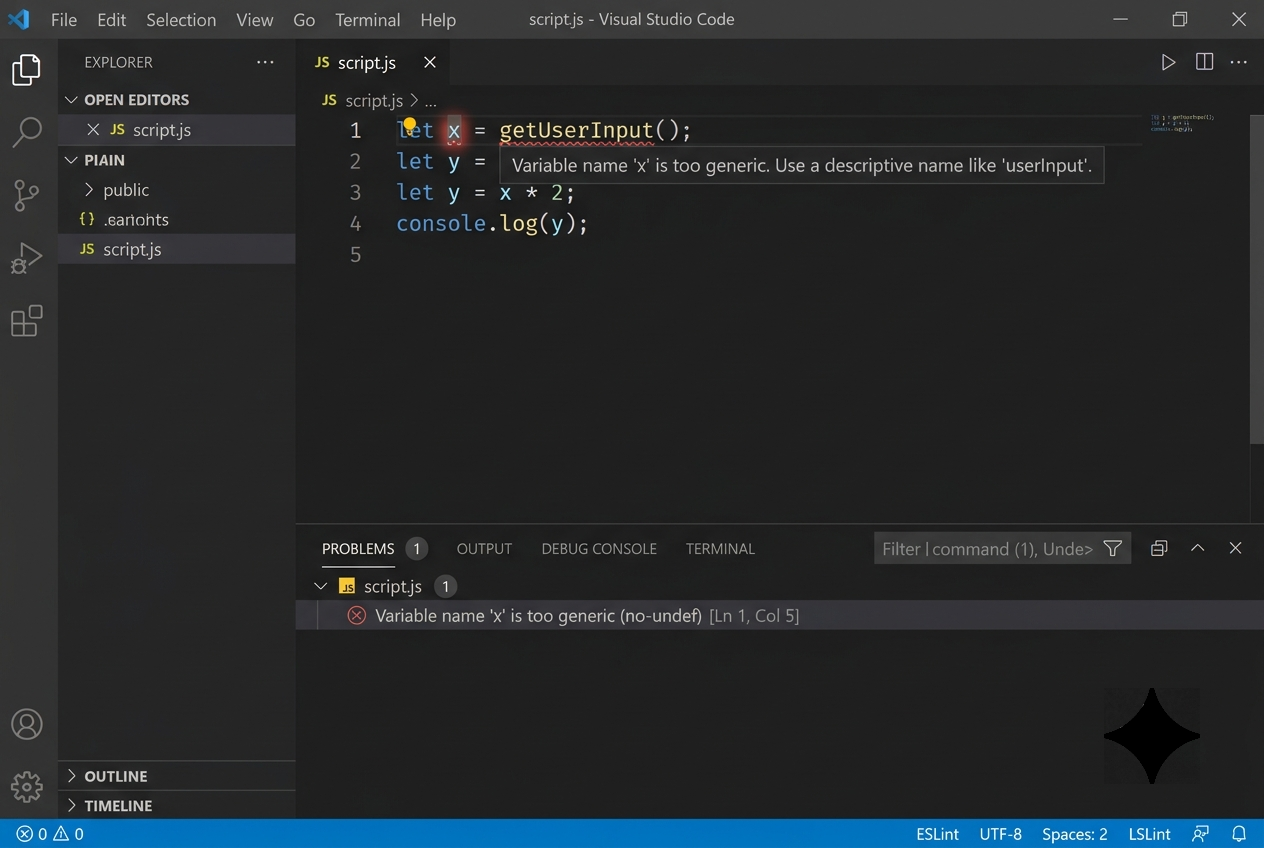 ESLint catching a poorly named variable and suggesting a fix — this is the kind of real-time feedback that enforces good naming habits.
Final Thoughts
Naming conventions aren’t about being “correct” or following arbitrary rules. They’re about communication.
Your code is read 10x more than it’s written. Future you, your teammates, and random developers stumbling upon your GitHub repos will judge you based on your naming.
Good names are an investment. They take 10 extra seconds to write but save 10 hours of debugging.
This guide is my personal reference. I come back to it when I’m unsure about a name. I adapt these conventions for work (following company/team standards), but for personal projects, this is my north star.
If you’re a beginner reading this: Start caring about names now. Your six-months-from-now self will thank you.
And if you’re an experienced developer who still names variables temp and data… we need to talk.
Bookmark This
I update this guide as I learn new conventions and patterns. If you found this helpful, bookmark it. Share it with that junior developer on your team who names everything thing1, thing2.
Let’s write code that doesn’t need comments to be understood.
Stack flexible. Standards non-negotiable.
Resources
- PEP 8 – Python Style Guide
- Google C++ Style Guide
- Airbnb JavaScript Style Guide
- GitHub Repository Naming Best Practices
Sahil Ahmad — Identity & Access Management | SailPoint ISC | Linux • Python • Automation
LinkedIn • GitHub • Portfolio